
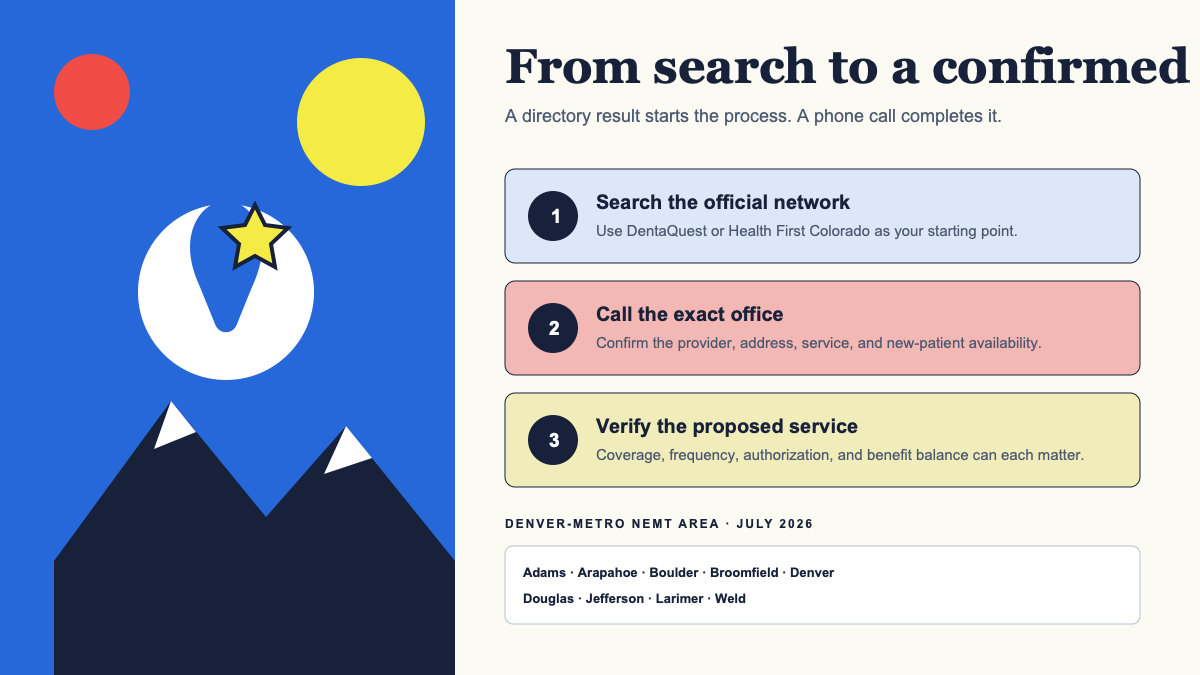
DentaQuest's Colorado member materials direct Health First Colorado members to call for help finding a provider and making a dental appointment.
Why a provider search may not become an appointment
A dentist can appear in a network directory while the office is temporarily closed to new patients, cannot see a particular age group, does not provide the needed specialty service, or has no appointment at the requested time. Participation can also be tied to the dentist and service location, not only the practice name.
Call the location you would like to visit to discuss appointments, Health First Colorado participation, the member's age and program, the treating dentist, and the care needed.
Use the directory filters that match the need
Colorado's dental annual report describes directory filters for access details as well as distance and specialty.
- Search from a ZIP code you can reliably reach, then widen the distance gradually.
- Select the correct plan and member age group; Health First Colorado and CHP+ are not interchangeable.
- Filter for accepting new patients, but confirm that status by phone.
- Use specialty filters for children's dental care, oral surgery, root-canal treatment, dentures, or another service your dentist recommends.
- Check language, disability-access, and special-needs filters when relevant, then ask the office about the specific accommodation.
- Search by both practice location and provider name if a referral identifies a particular dentist.
Ask DentaQuest for appointment help
- 1
Have the member information ready
Use the member ID, birth date, current address, and a callback number. Share protected information only through an official channel.
- 2
Describe the care category
Say whether the need is preventive, painful or urgent, pediatric, denture-related, or based on a specialist referral without attempting to diagnose yourself.
- 3
Explain the calls already made
Provide office names, dates, and reasons given, such as not accepting new patients or not providing the needed service.
- 4
Ask about your Dental Home
The member portal can show Dental Home information. Ask whether it should be updated if the listed office cannot provide care.
- 5
Request accessible communication
Ask for language assistance, State Relay 711, or another reasonable communication accommodation when needed.
Widen the search without creating a coverage problem
Current benefit summaries state that Health First Colorado does not have out-of-network dental coverage. Before traveling farther or accepting a referral, verify that the dentist and exact location participate in the plan.
If distance is the barrier, Health First Colorado says members without transportation to a covered appointment may qualify for non-emergent medical transportation. Ride approval and dental coverage are separate decisions, so confirm both before the visit.
- Ask the current Dental Home whether it can refer directly to an enrolled specialist.
- Ask whether another office within the same practice has different availability.
- Consider a reasonable wider radius only after confirming transportation and network status.
- Request a records transfer so a new office can review existing X-rays and treatment history; the new dentist decides what records are clinically sufficient.
When the need is urgent or the access problem continues
Tell DentaQuest and each office if symptoms are worsening so they can help you find the right care. Call a dental provider promptly for severe pain, swelling, drainage, trauma, or bleeding. Call 911 or go to an emergency department for trouble breathing or swallowing, rapidly spreading facial or neck swelling, major trauma, confusion, or uncontrolled bleeding.
If directory information is wrong, report the error to DentaQuest. If you are dissatisfied with how an access concern was handled, ask DentaQuest whether a grievance is the correct path. A grievance addresses care or service concerns; it is different from reconsidering a denied benefit decision.
Primary sources
Verify the details that affect your care
We use official program materials and clearly identify Star Dental pages. Policies and personal benefit status can change.
- DentaQuest Health First Colorado member hub
- DentaQuest Find a Dentist
- Health First Colorado member handbook
- Health First Colorado dental annual report
- Health First Colorado NEMT
- DentaQuest appeals and grievances