
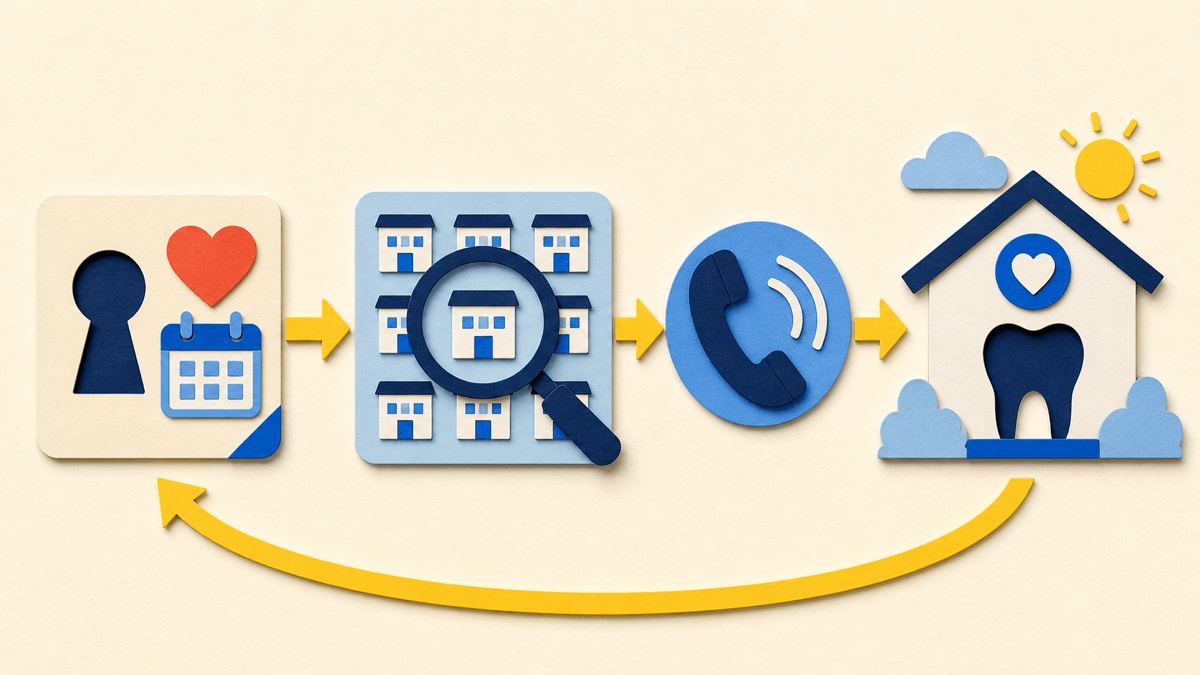
DentaQuest encourages members to use a Dental Home for regular care, prevention, treatment planning, and referrals when specialty care is needed.
What “Dental Home” means in Colorado's dental program
A Dental Home is the dentist or practice used for ongoing dental care. It is intended to give the member a consistent place for preventive visits, diagnosis, treatment planning, records, and referrals instead of starting over with unrelated offices for each problem.
Your Dental Home can help coordinate care. When arranging a visit, discuss the member's program and age, the office's network participation at that location, the services or referrals needed, and the benefits that apply.
- Use the Dental Home for routine care before pain becomes the only reason for a visit.
- Ask how the practice handles urgent calls, after-hours concerns, and specialty referrals.
- Keep the office informed about health, medicine, address, phone, and language or accessibility needs.
- If the listed Dental Home cannot provide care, document the problem and ask DentaQuest for help rather than assuming out-of-network care will be covered.
What the member portal can help you do
DentaQuest's Colorado member materials and HCPF's dental annual report describe online tools for provider search, Dental Home information, dental ID-card access, member help, and personal account information. The available screens can change, so use the current portal labels rather than instructions copied from an old screenshot.
- Search the official provider directory by location and other available filters.
- Review the Dental Home shown in the account.
- Access available dental ID-card information.
- Use available support or live-chat options for plan questions.
- Review account details and correct outdated information through the official process.
- Find links or instructions for member concerns, grievances, and benefit decisions.
Set up and use the account safely
- 1
Start at the official portal
Use DentaQuest's member-access address or a link from its Colorado member page. Avoid login links sent by an unknown caller, text, or advertisement.
- 2
Have member details available
The current registration or identity-check prompts may request member information such as the Medicaid ID and date of birth. Enter it only in the official secure portal.
- 3
Use a private email and strong password
Do not reuse a password from another account or save protected member information on a public device.
- 4
Check who the account represents
A parent, guardian, or authorized representative should follow the portal's current rules for viewing another member's information.
- 5
Save useful reference details
Record confirmation numbers, the date, and the name or role of a representative without storing unnecessary health information in an insecure note.
How to choose or change a Dental Home
Search the DentaQuest directory first, then call the exact location. Ask whether the treating dentist participates with the member's program, accepts the member's age group and new patients, offers the needed service, and can provide requested language or accessibility support.
Use DentaQuest's current change-dentist process when the member needs a different Dental Home. The official form uses member-verification information, and the requested change may need processing time. Confirm the effective Dental Home in the portal or with Member Services before relying on it for a scheduled visit.
- Consider travel time, office accessibility, language, age range, urgent-care process, and specialty referral arrangements.
- Ask the former office how to request records and recent X-rays; the receiving dentist determines what is clinically usable.
- Do not cancel urgent evaluation while waiting for routine Dental Home administration—tell DentaQuest that the need is urgent.
- If no listed office can schedule the member, keep a call log and request direct appointment help from DentaQuest.
If the portal, directory, or Dental Home information is wrong
Take a dated screenshot or write down the listing, then contact DentaQuest through an official channel. Explain whether the problem is an incorrect address, phone, accessibility detail, new-patient status, provider participation, Dental Home assignment, account access issue, or another discrepancy.
Current official benefit summaries and HCPF materials consistently list DentaQuest Member Services at 1-855-225-1729; use the number on a current member card if it differs. Ask for language help or State Relay 711 when needed. If an access concern is not resolved, ask whether a grievance is appropriate. If the issue is a denied dental-service decision, the reconsideration process is different.
Primary sources
Verify the details that affect your care
We use official program materials and clearly identify Star Dental pages. Policies and personal benefit status can change.
- DentaQuest Health First Colorado member hub
- DentaQuest member portal
- DentaQuest Find a Dentist
- DentaQuest change-your-dentist tool
- Health First Colorado dental annual report
- Health First Colorado member handbook
- DentaQuest member rights and responsibilities